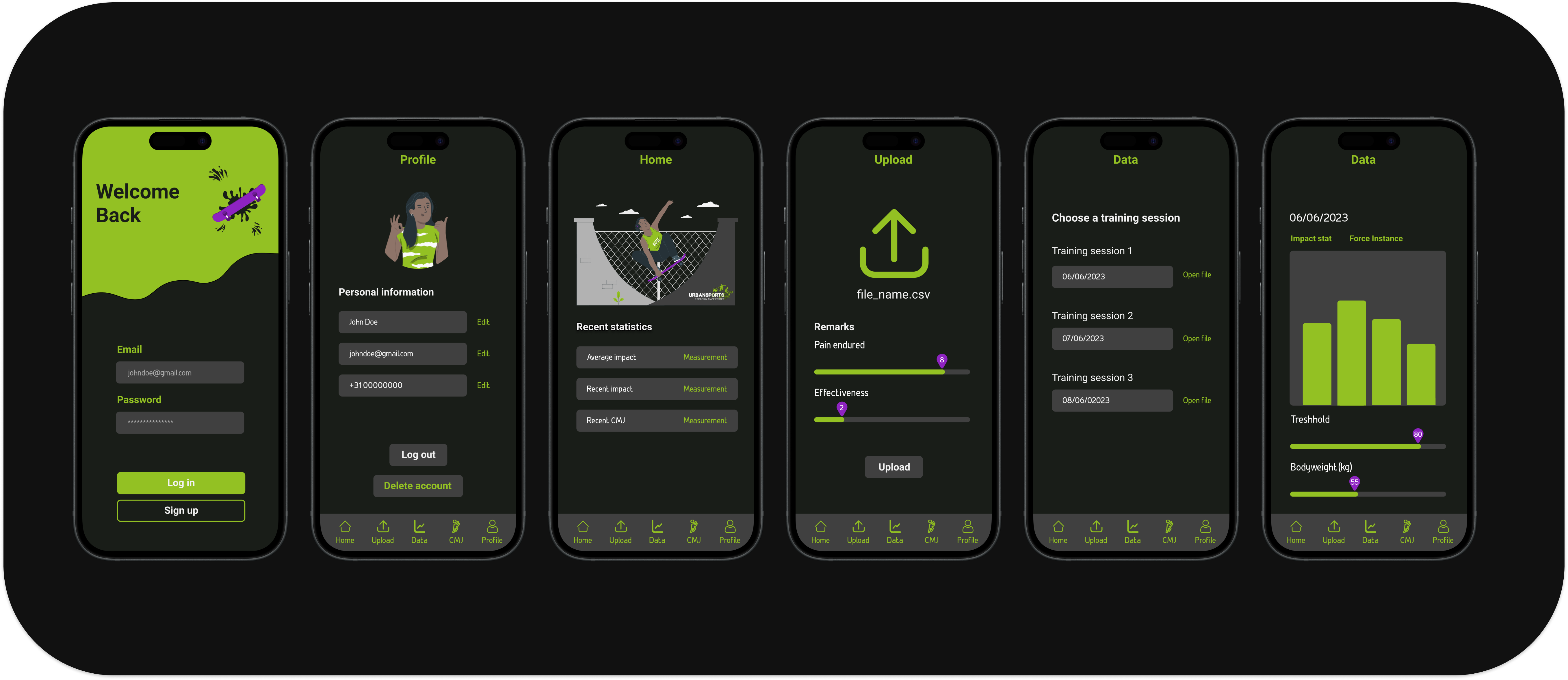
As part of a collaborative team, I contributed to the design and front-end development of the Urban Sports Tracker — a cross-platform app focused on monitoring and visualizing workout impact. Working closely with the team, I helped shape the user interface, designed key screens, and built interactive components, ensuring a clear and engaging experience for athletes tracking their performance.
Throughout this project, I actively contributed to both research and design, supporting the application's development from initial concept to high-fidelity prototype. A significant part of my role involved researching counter-movement jumps—a key feature of the app—and exploring future opportunities with Artificial Intelligence (AI) to enhance performance insights.
User testing was central to the process, where I gathered feedback through surveys and guerrilla testing. This feedback helped refine the app’s usability, ensuring it truly served athletes' needs. I also conducted a competitor analysis, helping shape a user-friendly and differentiated experience within the crowded sports tracking market.
I contributed to the cross-platform redesign of the high-fidelity prototype, ensuring a seamless experience across both Android and iOS. Working iteratively and responding to real user feedback reinforced my focus on adaptability, responsiveness, and user-centered design principles.
Overall, this project strengthened my skills in agile teamwork, research-driven design, and collaboration, while deepening my passion for creating user-focused technology in the field of sports science.
Develop a cross-platform Urban Sports Tracking app that empowers athletes aged 18–24 to easily understand and act on their performance data.
Occupation breakdown among respondents (82% students).
Participation rates across different urban sports activities.
Our survey revealed that the majority of participants were students aged 18–24 engaged in urban sports such as skateboarding, basketball, and freerunning. These findings shaped our design priorities toward accessible, gamified performance tracking.
Two primary user personas informed the design, representing the distinct needs of young urban athletes wanting better training data and a more intuitive platform.
Persona 1: Primary User
Represents young athletes aged 18–25 who train regularly and want clear, motivating data to track their performance improvements.
Persona 2: Secondary User
Casual users and returning athletes who need a visually consistent, modern interface to stay engaged with the platform long-term.
Based on our research, we defined key problem statements and reframed them as design opportunities to guide our ideation process.
A user who wants to check his training data and compare it for improvement, but is confused on how to do so.
A user who wants to use his Xsens Dot device as easily as possible, but cannot do so.
The empathy map highlighted critical pain points and thoughts from users. Many users were confused about the functionality of the app, especially around navigation and the interface layout. The insights gathered helped prioritize user-centric design decisions, leading to improved clarity and usability.
The affinity map was a key tool in sorting user research insights. By categorizing user feedback into fatigue, improvement, and user needs, we were able to identify actionable insights that directly influenced the design of the app. It helped shape the app’s features, from data presentation to usability improvements.
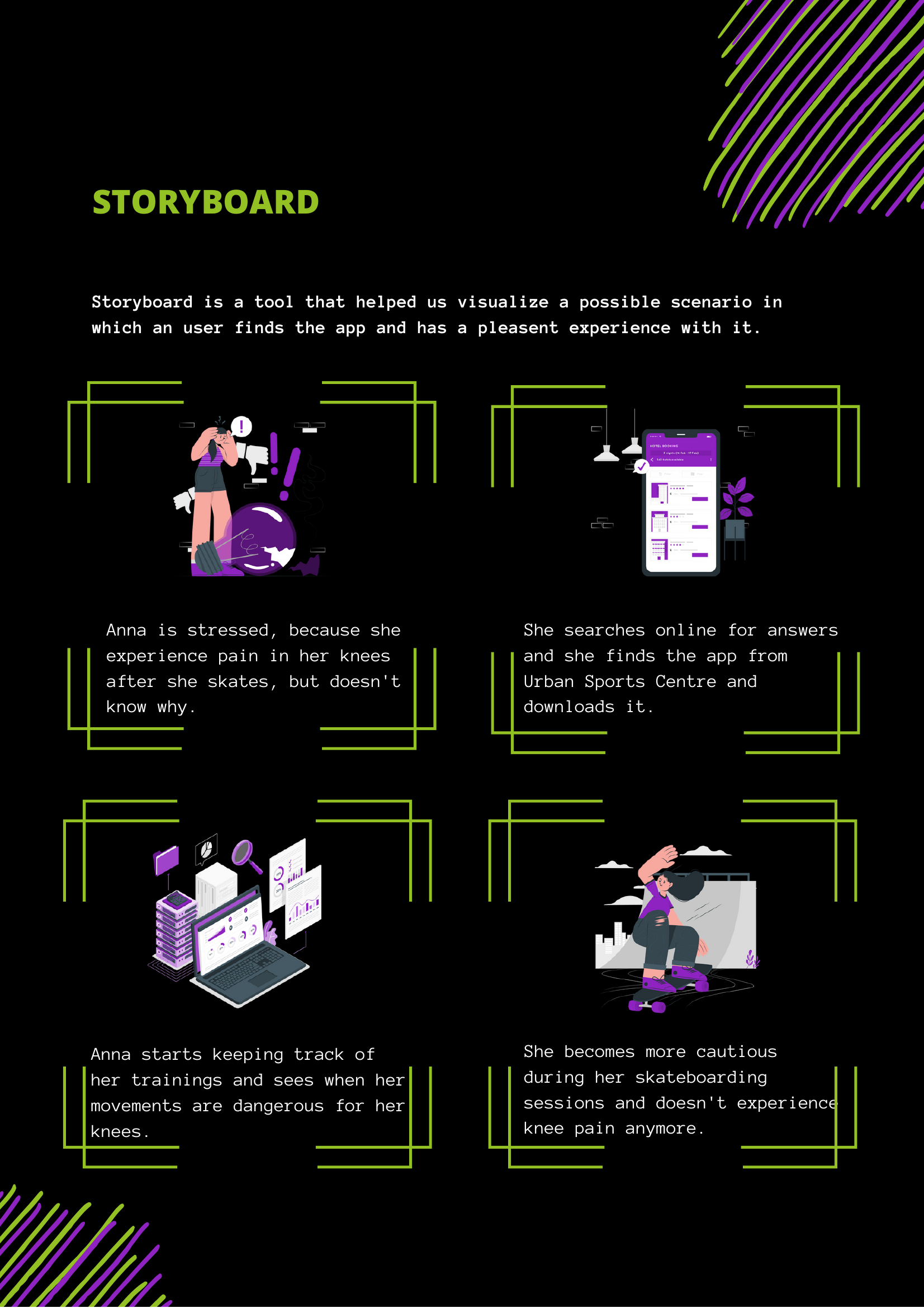
Anna is stressed because she experiences pain in her knees after she skates but doesn't know why. She searches online for answers and finds the app from Urban Sports Centre, downloading it. Anna starts keeping track of her training and sees when her movements are dangerous for her knees. She becomes more cautious during her skateboarding sessions and doesn't experience knee pain anymore.
Research into counter movement jumps helped define how to track fatigue and readiness among athletes.
To structure and visualize the product early in the design process, we developed low-fidelity wireframes that clarified the necessary screens, features, and overall user flow.
These simple layouts helped our team align on core functionalities before moving into more detailed design stages.
Quick informal tests revealed early usability issues and allowed fast improvements in UI/UX flows.
After feedback and revisions, the final high-fidelity prototype delivered a polished multi-platform experience for urban athletes.
I explored how AI could predict fatigue and injury risk, offering future directions for app innovation and athlete safety.
Connect training sessions to individual user accounts via proper back-end integration.
Expand testing across diverse athlete groups and skill levels for richer feedback.
Implement AI models for predictive fatigue detection and injury risk alerts.
Host the application online to improve accessibility and long-term scalability.
A secure, scalable database is essential for any sports performance application.
Fatigue and impact data must be shown simply — athletes need quick, readable insights.
Surveys and guerrilla testing surfaced real usability issues that internal review missed.
Proactive communication and flexibility are crucial to keeping agile teams aligned.