As UX/UI Designer and Front-end Developer, I led the development of an intuitive instruction management system within PMT that meets industry standardization requirements while optimizing user experience for factory environments.
Motivate's Platform Management Tool (PMT) is designed to streamline workflow management and boost operational efficiency in manufacturing environments. The new Instruction Creation Tool (ICT) empowers managers to seamlessly create, approve, and publish standard work instructions directly within the platform.
By consolidating various documentation formats (PDFs, images, videos) into a unified platform, ICT eliminates the need for multiple external tools while ensuring strict compliance with standardization requirements. This integration significantly reduces the time spent on instruction management and minimizes the risk of errors.
The tool's development focused on creating an intuitive interface that accommodates the unique challenges of factory environments, including considerations for noise levels, lighting conditions, and the need for quick, accurate information access. Through extensive user research and iterative testing, we've delivered a solution that enhances productivity while maintaining the highest standards of quality and safety.
Research conducted across three manufacturing plants helped identify key challenges and requirements. Through contextual inquiries and interviews, we gathered critical insights about user needs and system requirements.
Research into existing instruction creation tools helped identify market opportunities and user needs.
How can the user experience (UX) and user interface (UI) design of the PMT platform be optimized for efficient instruction management, while ensuring compliance with standardization requirements?
Interviewed key stakeholders to gather insights into system needs and challenges.
Conducted observational studies to understand how factory workers interact with the current PMT system. These studies provided valuable insights into the practical challenges faced by users, such as navigating the interface, accessing instructions, and managing updates. Observations were used to identify areas for improvement and ensure that the new tool would meet real-world needs.
To gather feedback on the low-fidelity prototypes, initial user interviews were conducted. Users were shown the sketches and asked questions to ensure that all necessary information was covered and to assess the usability, design, and functionality of the proposed tool.
The feedback provided crucial insights into the clarity of navigation, the intuitiveness of the design, and the overall user experience. Users validated that the proposed features and design elements were on the right track, reinforcing the need for a user-friendly interface and robust functionality.
This validation was essential in ensuring that the design aligned with user expectations and laid a solid foundation for further development and refinement.
Compiled a comprehensive list of required features based on research and user feedback. Key features include CRUD functionality for instruction management, an enhanced PDF viewer, responsive design, and seamless integration with the existing PMT platform.
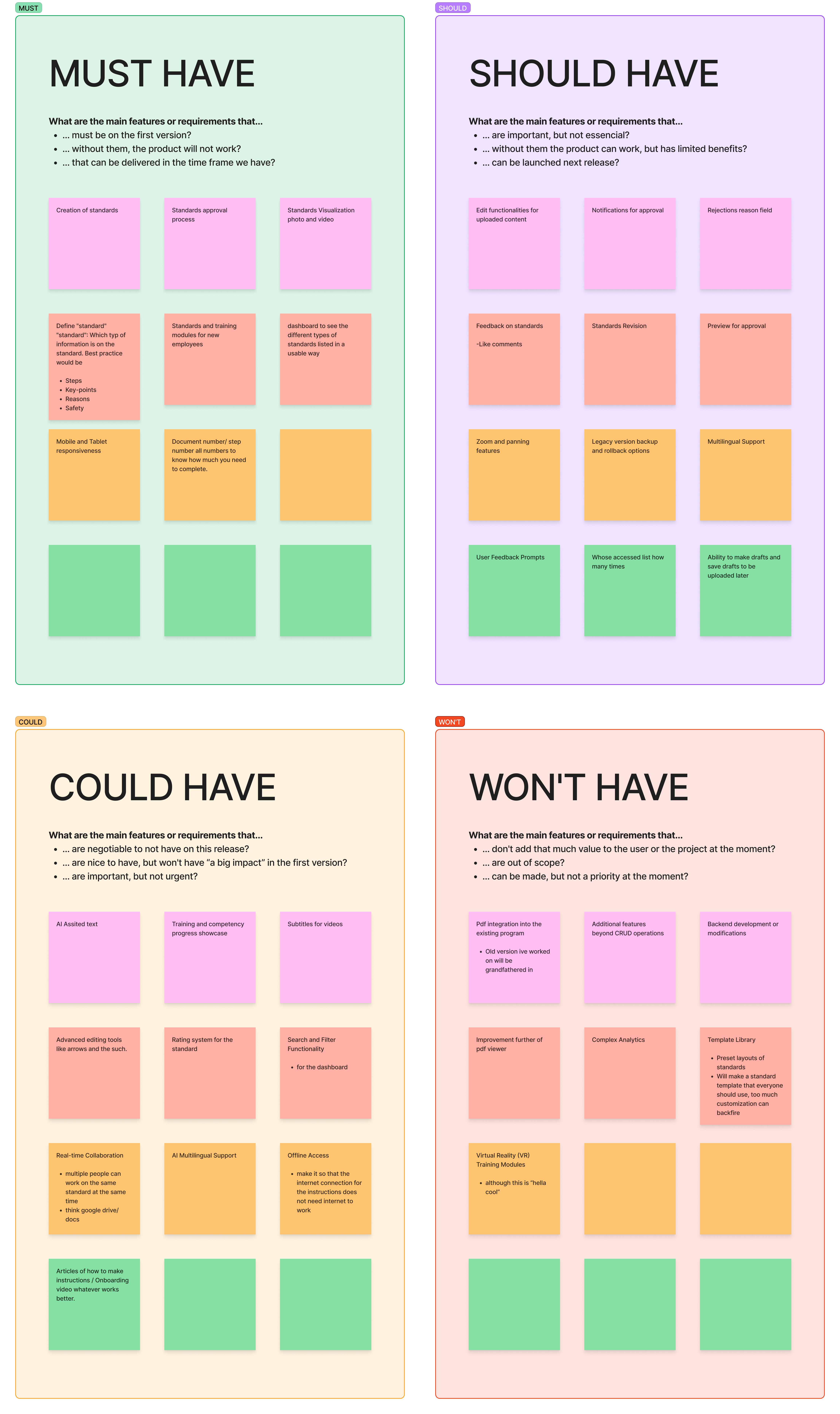
Applied the MOSCOW method to prioritize features based on their importance and implementation feasibility. This systematic approach helped focus development efforts on critical functionality while establishing a clear roadmap for future enhancements to the instruction management system.
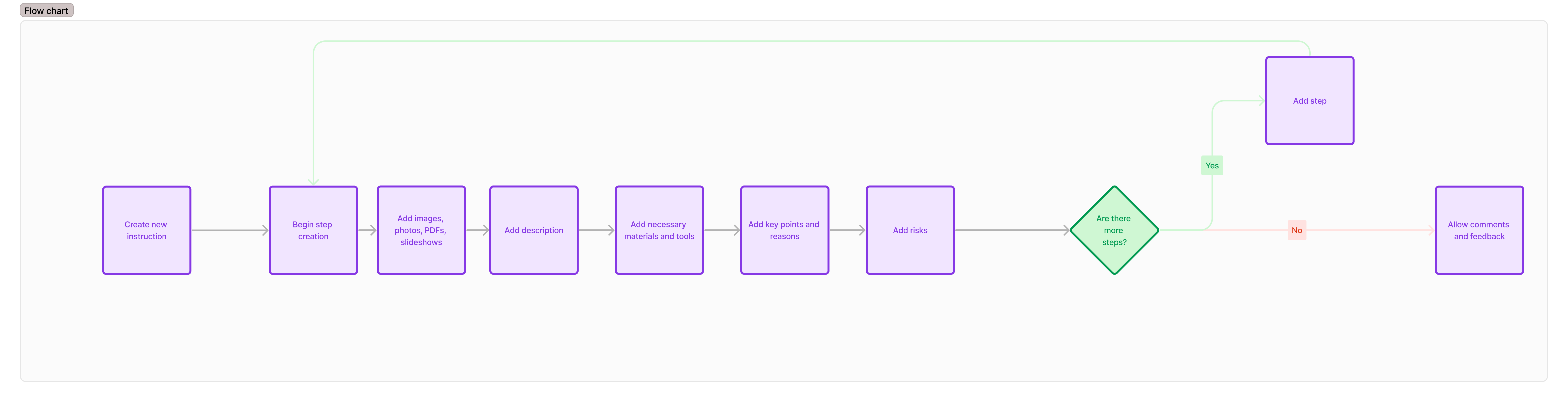
Developed a comprehensive workflow for instruction creation following TWI methodology. This systematic approach ensured all critical aspects of instruction authoring were addressed while maintaining an intuitive user experience.
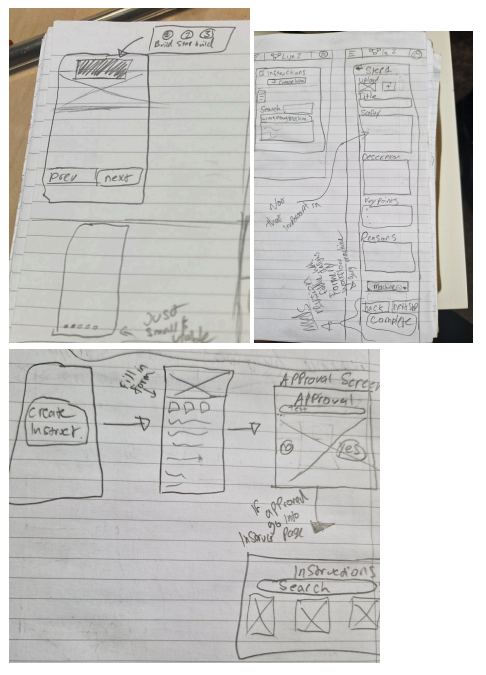
Initial prototypes based on research findings focused on basic structure and functionality. These wireframes served as a foundation for iterative design improvements and stakeholder feedback sessions.
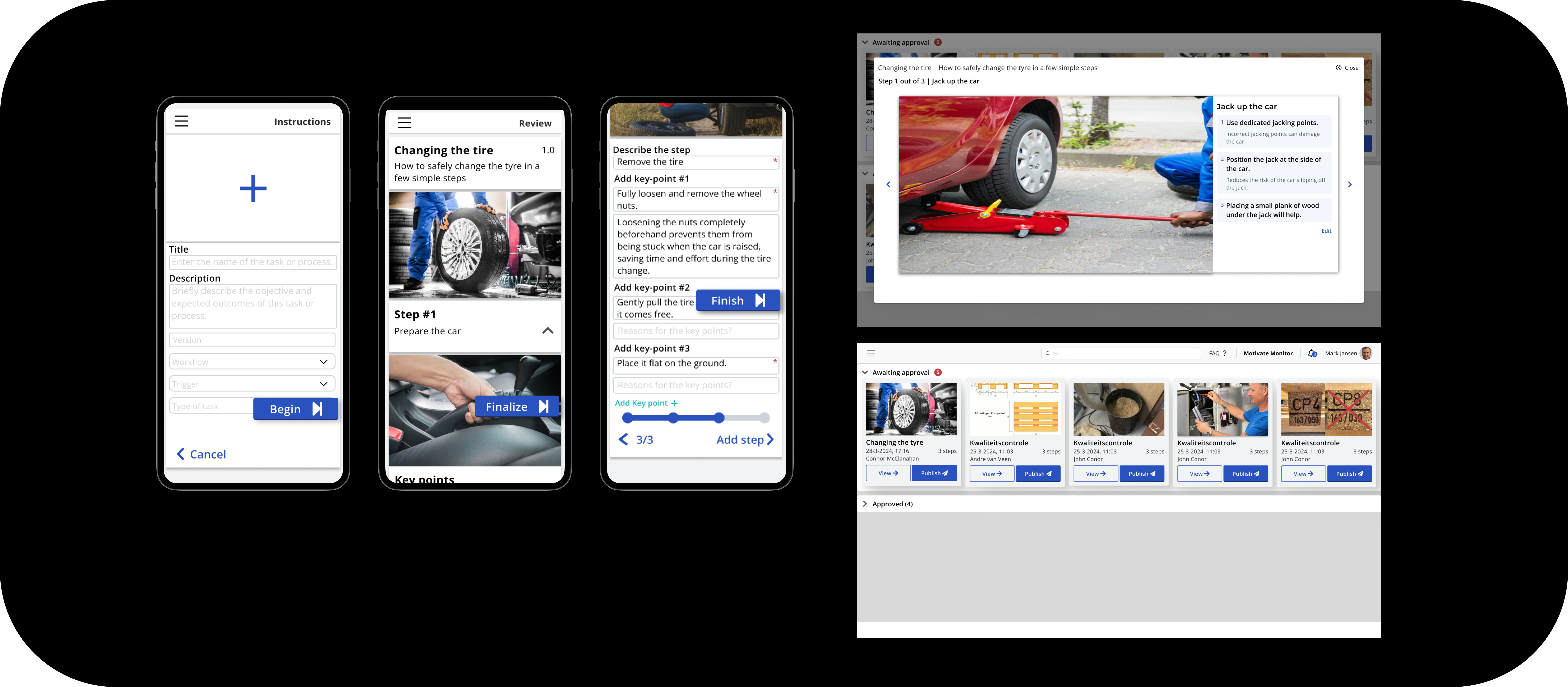
As you can see you have a form where you can fill in and make a standard quickly.
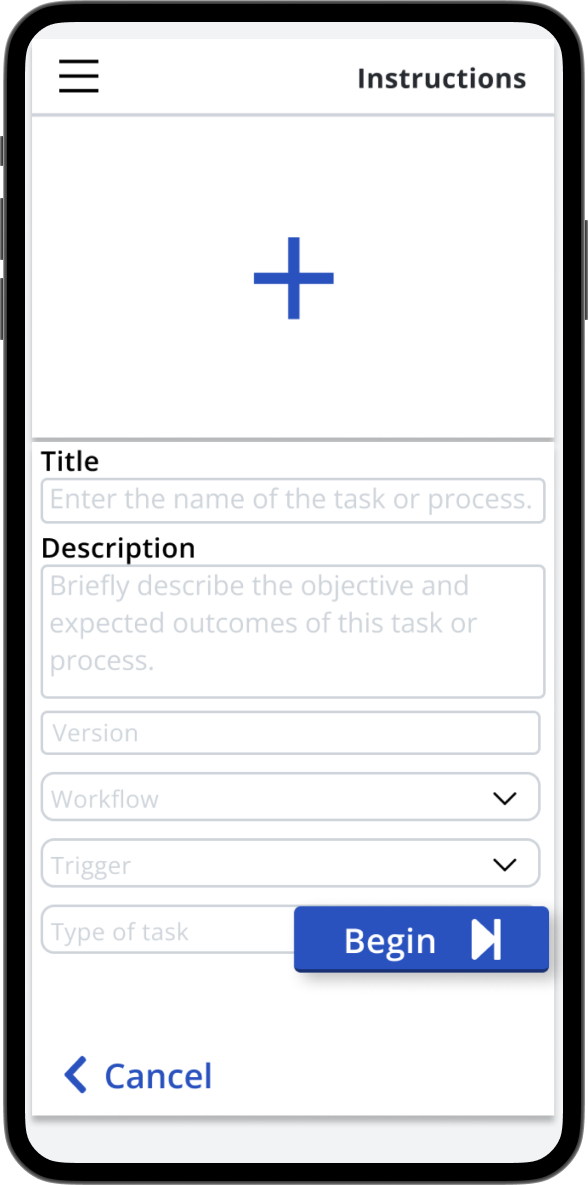
Finishing up the form it allows you to add pics follow standard practices with safety and quality being emphasized.
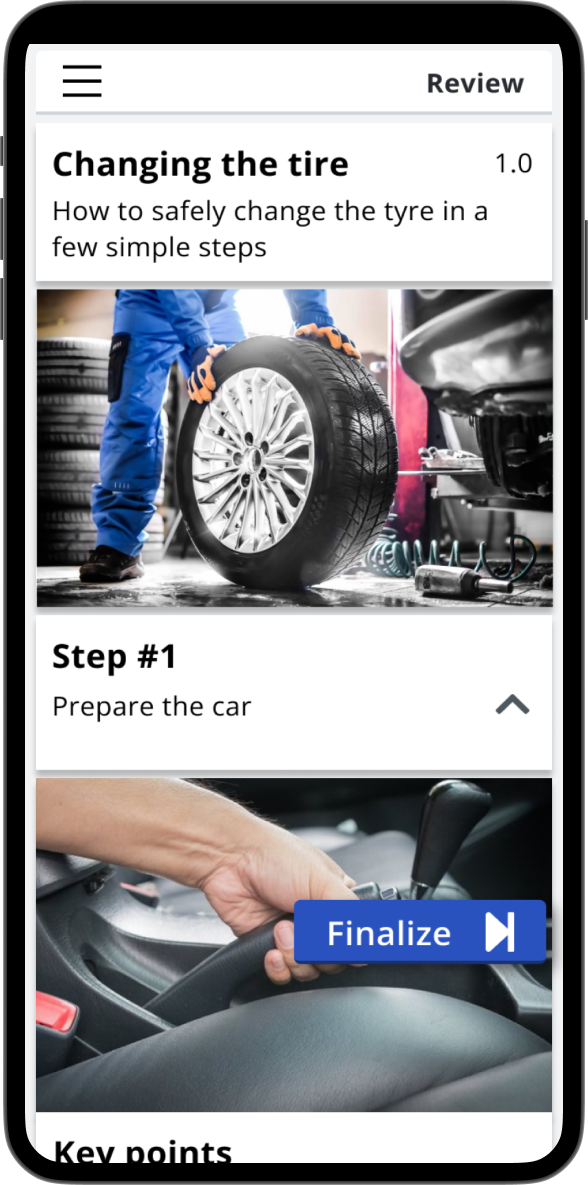
Once you're done it gives you an overview of what you made allowing you to make last minute changes.
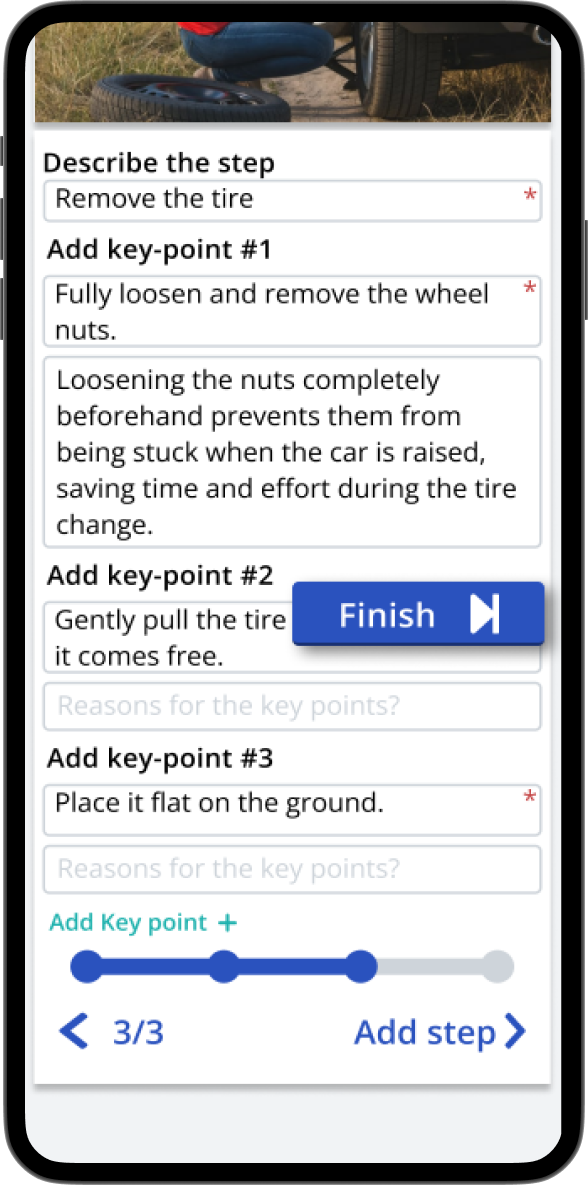
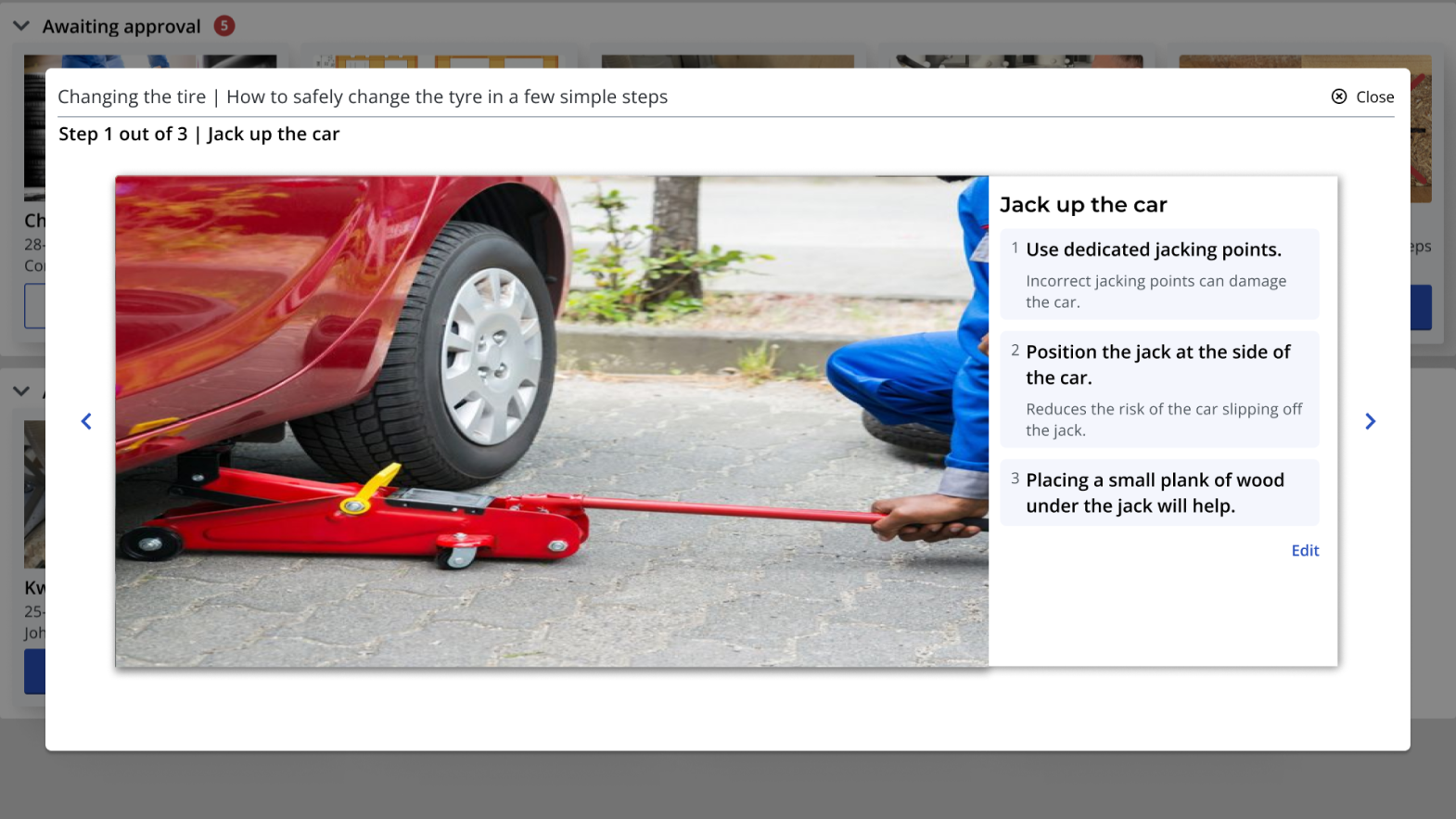
Once someone on the shopfloor has made a standard, it's sent for approval by someone with permissions. Here they can make changes, accept it, or reject the standard.
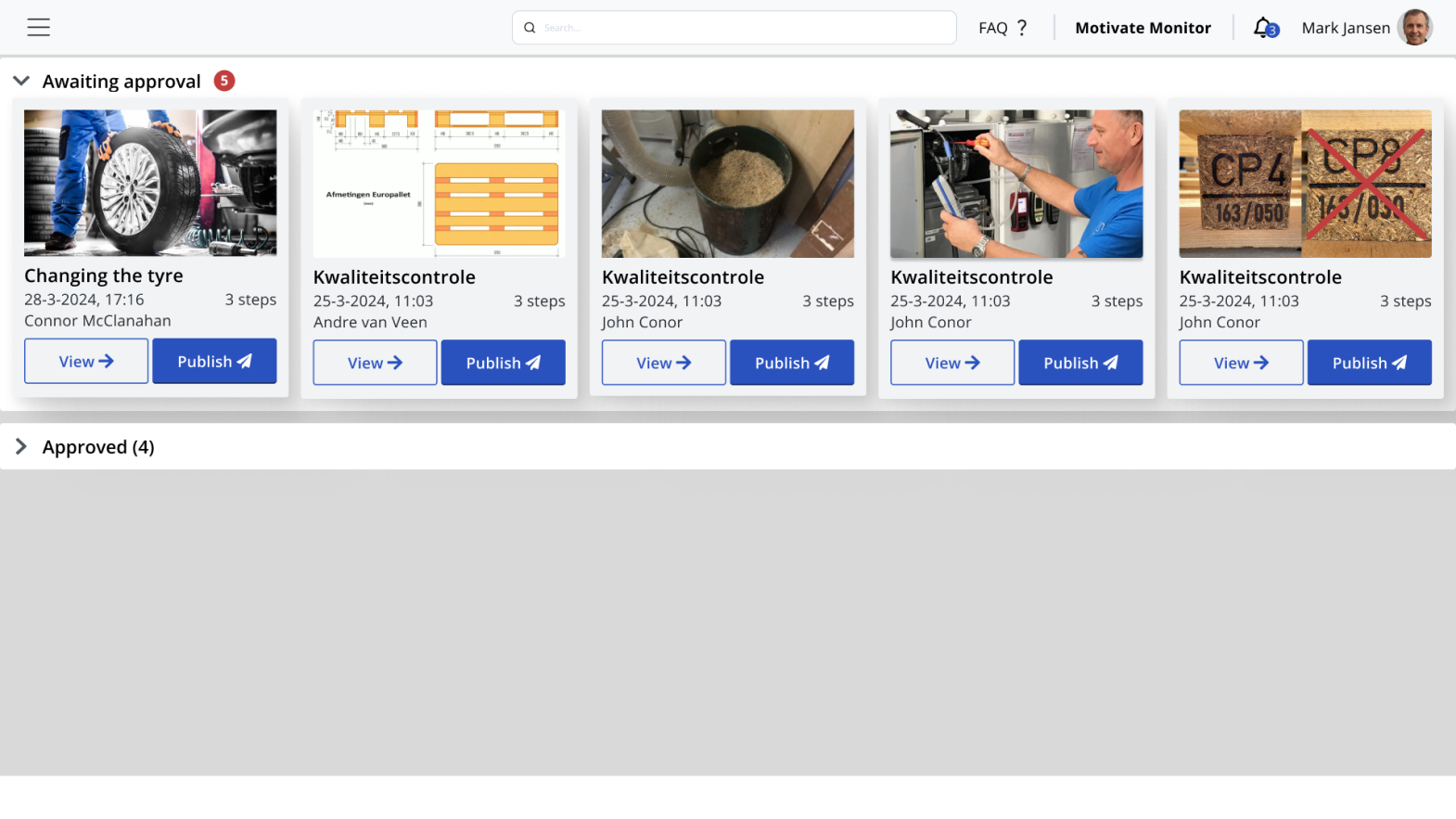
Once it has been accepted it now is in the database and can be retrieved on any tablets in the factory or PCs in the factory.